
Get Started
Here are step-by-step instructions for using SayMandarin. They’re very simple and take no more than a minute. I recommend taking a close look at the feedback screenshot so you know how to read your results.
How SayMandarin works
You read five simple Chinese words aloud with pinyin, and the AI gives you feedback on how they sounded and what to work on first.
This is a safe place to practice Chinese pronunciation, and no one will judge you. The whole process usually takes no more than a minute, and you don’t have to sign up for anything. As you read, don’t be afraid to make mistakes or sound like a five-year-old. I recommend practicing in a quiet place with no one around to distract you.
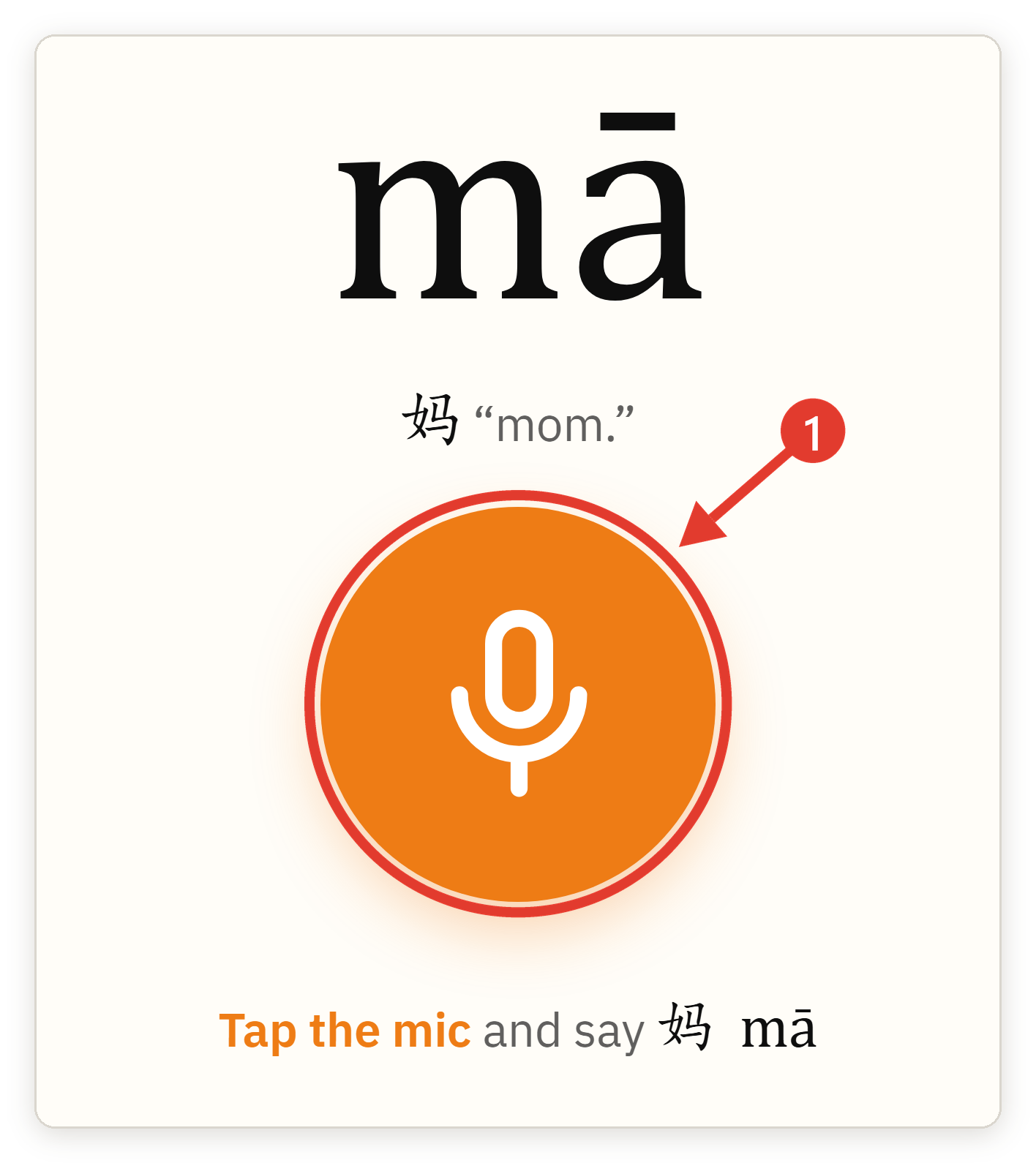
1. Press the microphone and read five words
Click the big orange microphone button.
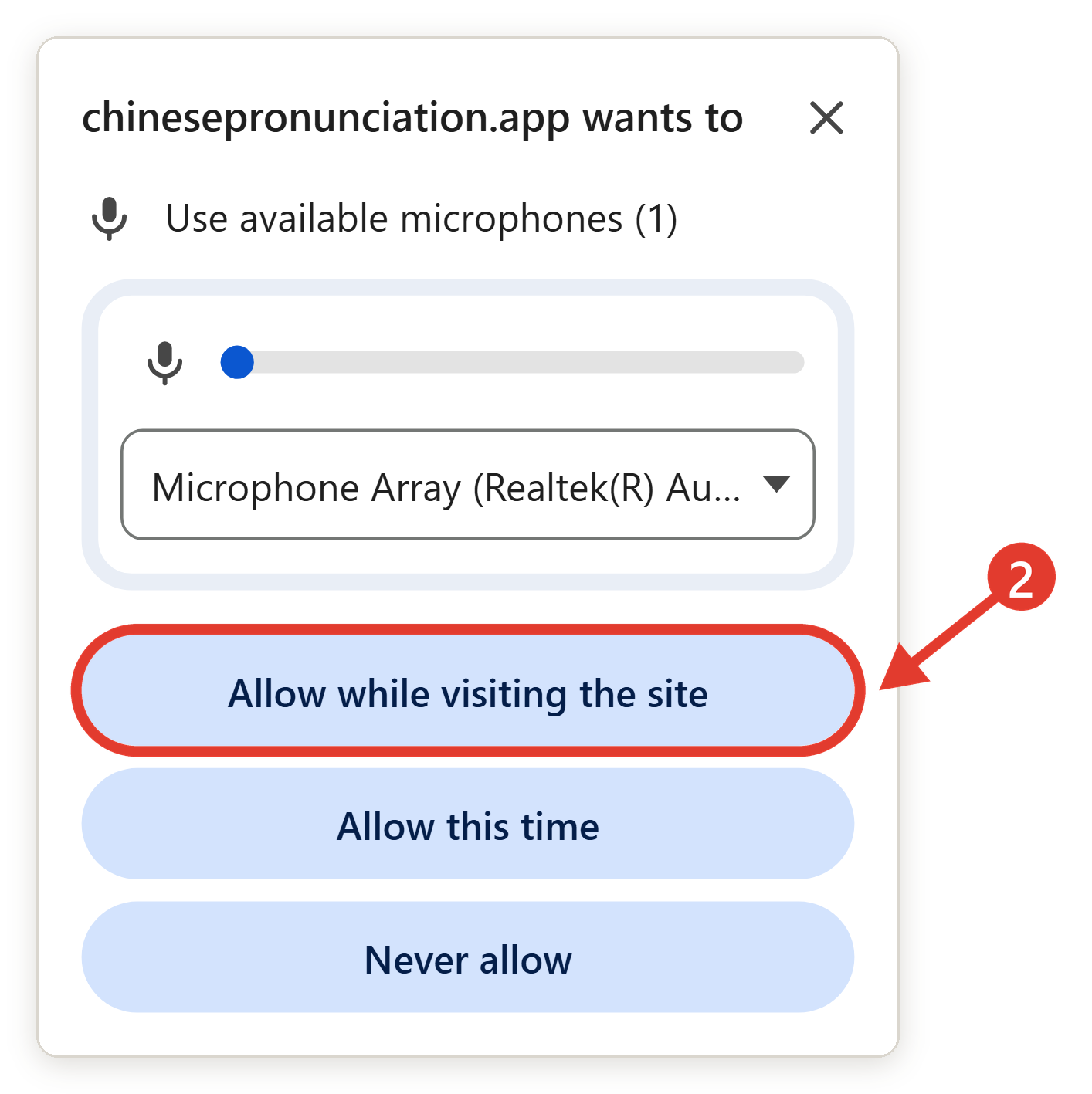
When your browser asks for access to your microphone, click Allow.
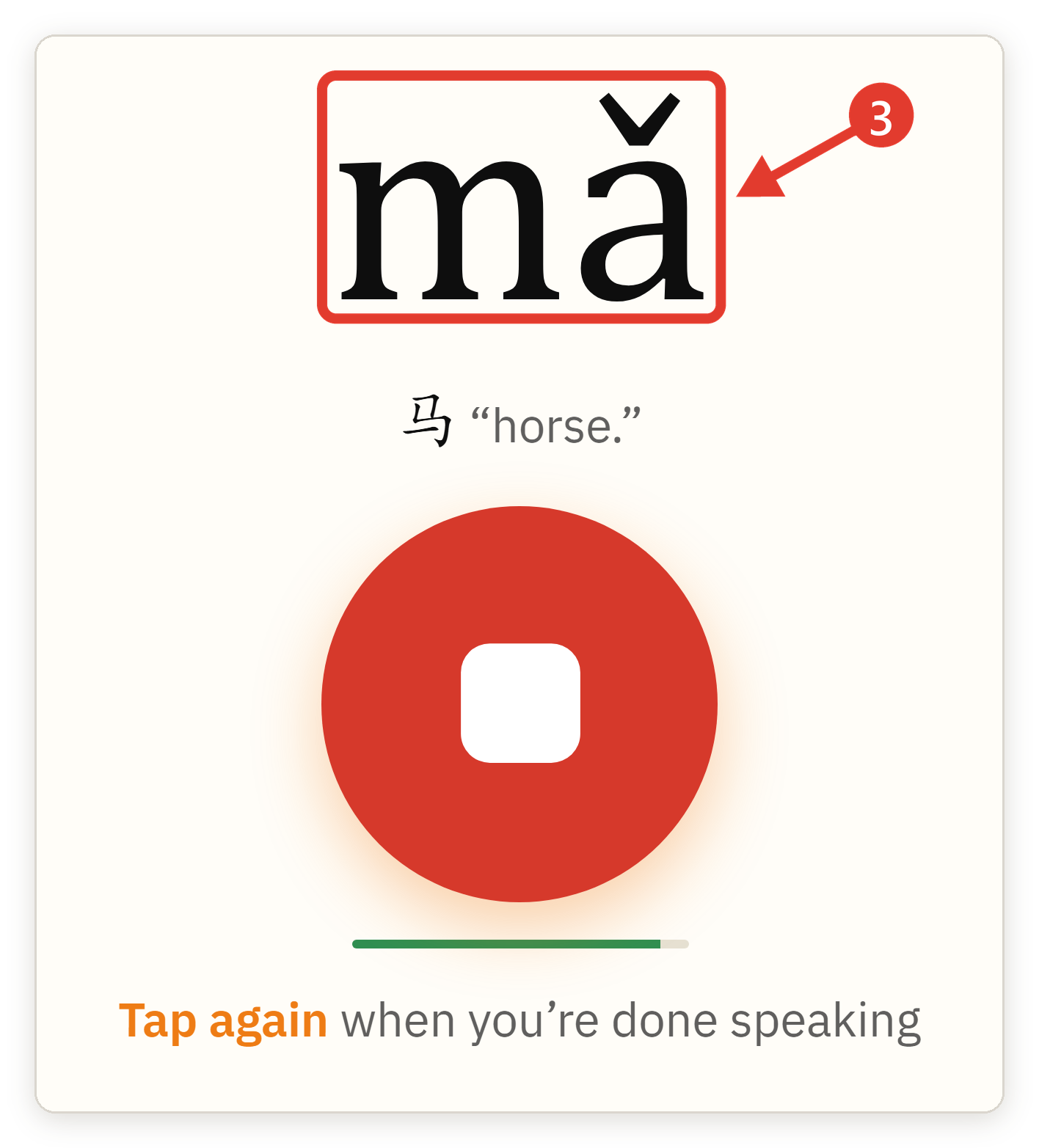
Say the word you see on the screen. Don’t worry, you don’t need to know Chinese characters: each word comes with pinyin. Try to relax and treat this step like a game.
After you say all five words, you’ll see the feedback screen. It shows how many sounds and tones you got right and gives you an honest assessment of your pronunciation.
Do I need a separate microphone to use SayMandarin? No, the built-in microphone on your computer or phone is enough.
Check my Chinese pronunciation
2. Get AI feedback on your pronunciation and tones
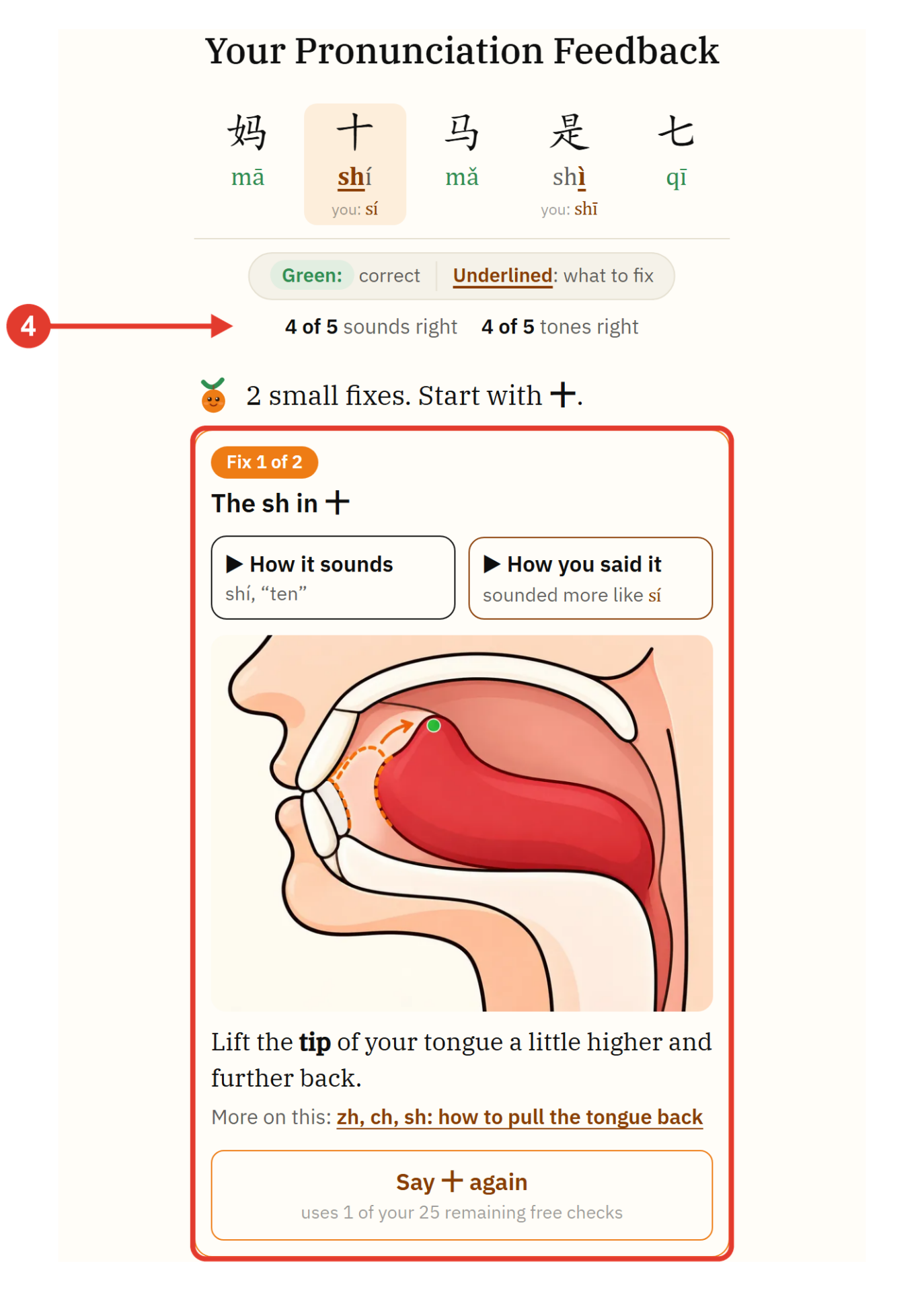
You see the sounds and tones you got wrong, marked right in each syllable. The first mistake opens with a short tip and audio of how it should sound and how you said it. Many tips link directly to guides with detailed explanations of the theory and tools for practice (this section is constantly updated).
Most sound errors also come with a short tip on what to do with your tongue, lips, or breath.
3. Practice the sounds and tones you got wrong
Start with the first mistake in the breakdown. Listen to how it should sound, say it again, and open the linked guide if there is one. Then read the five sentences picked for you. They have the sounds and tones you didn’t get right. If there are no mistakes, move on to reading whole sentences aloud.
- Read in Chinese: Read short Chinese sentences aloud and get a detailed breakdown of your pronunciation and tones. Free, no sign-up needed.
- Practice the four tones: Say a tone and get a diagram showing which tone you said. Unlimited exercises.
- Tone pair chart: An interactive chart of basic Chinese words for practicing tone combinations. Suitable for HSK levels 1 to 3.
- How to pronounce zh, ch, sh: A guide to pronouncing difficult sounds. Learn how to move your tongue to get the sounds right. Put the theory into practice by saying words into the microphone.
- A guide to pronouncing the syllable xu and the difficult sound ü: An interactive chart where you can practice pronouncing xu in the most common Chinese words.
- Relax your jaw: I explain why a tense jaw holds your pronunciation back and offer exercises for practice.
- Pinyin chart: Mandarin syllables in one table. Tap a syllable, listen, say it, and see what we heard.
- Check your own words: Type a Chinese word or phrase, in characters or pinyin with tone numbers, say it, and get feedback on each syllable.
- HSKK speaking practice: Read exam-style phrases aloud and check your tones before the test.
4. How many checks you get each day
How many times a day can I check my pronunciation? 30 times a day. Each press of the microphone button counts as one check. A five-word session counts as five checks. The counter resets every day at midnight UTC. The “Practice the four tones” trainer has no limits. You can use it even after your 30 checks are used up.
5. Questions before you start
My browser is asking for microphone access. Is that safe? Yes. The browser asks for permission so the site can hear you when you click the microphone. You can turn off access at any time in your browser settings.
Does SayMandarin work on my phone? Yes, it works right in your browser. Open the site on your phone, hold the microphone while you speak, and start learning. You don’t need to install a separate app.
I’m a complete beginner. Is it too early for me? Just the opposite: this is the best time. It’s critical to build your pronunciation foundation at the start, because relearning later will be very painful.