
Chinese Pronunciation
Check Your Chinese Pronunciation and Mandarin Tones in One Click!
Tap the mic, read 5 words out loud, and get instant detailed feedback on what to fix.
Free. No Credit Card Required. No Signup.
Why I built SayMandarin
What it is
SayMandarin is a free service for checking and practicing your Chinese pronunciation and Chinese tones. It includes feedback from a strong AI system. SayMandarin gives you scores and detailed feedback on how to improve your pronunciation.
My name is Tony, and I built SayMandarin by myself as a small indie developer. I graduated from Beijing Language and Culture University in 2018. I have been teaching Chinese since 2015, and have worked at multiple Chinese IT companies.
After graduation I left China, and now I work in another country. I don’t have any Chinese people near me and don’t have much time for a Chinese tutor. I realized that my Chinese pronunciation has started to slip due to a lack of practice and feedback from native speakers.
My students had the same problem: they practiced a lot, but nobody could tell them whether their tones were right. Chinese friends are usually too polite to correct you, and a tutor isn’t always an option.
So I built this tool, which has helped me and my students practice pronunciation and tones in an easy way. Now I’ve opened it for everyone, and I hope it will be useful for you too.

How it works
You read 5 simple Chinese syllables out loud, and the AI system tells you how they sounded and what to work on first. The whole process usually takes no more than a minute, and you don’t need to sign up for anything.
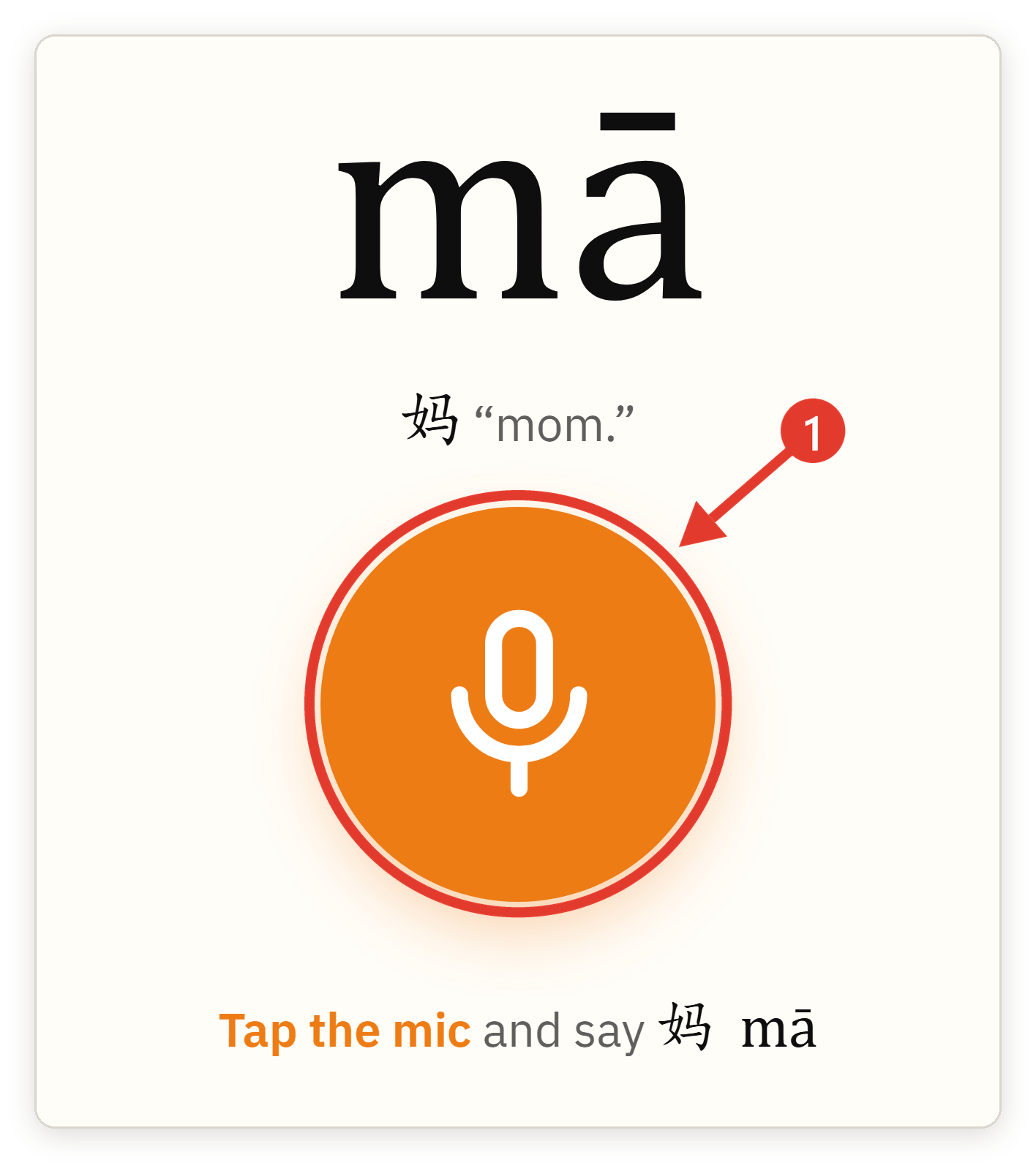
- Tap the big orange button with the microphone.
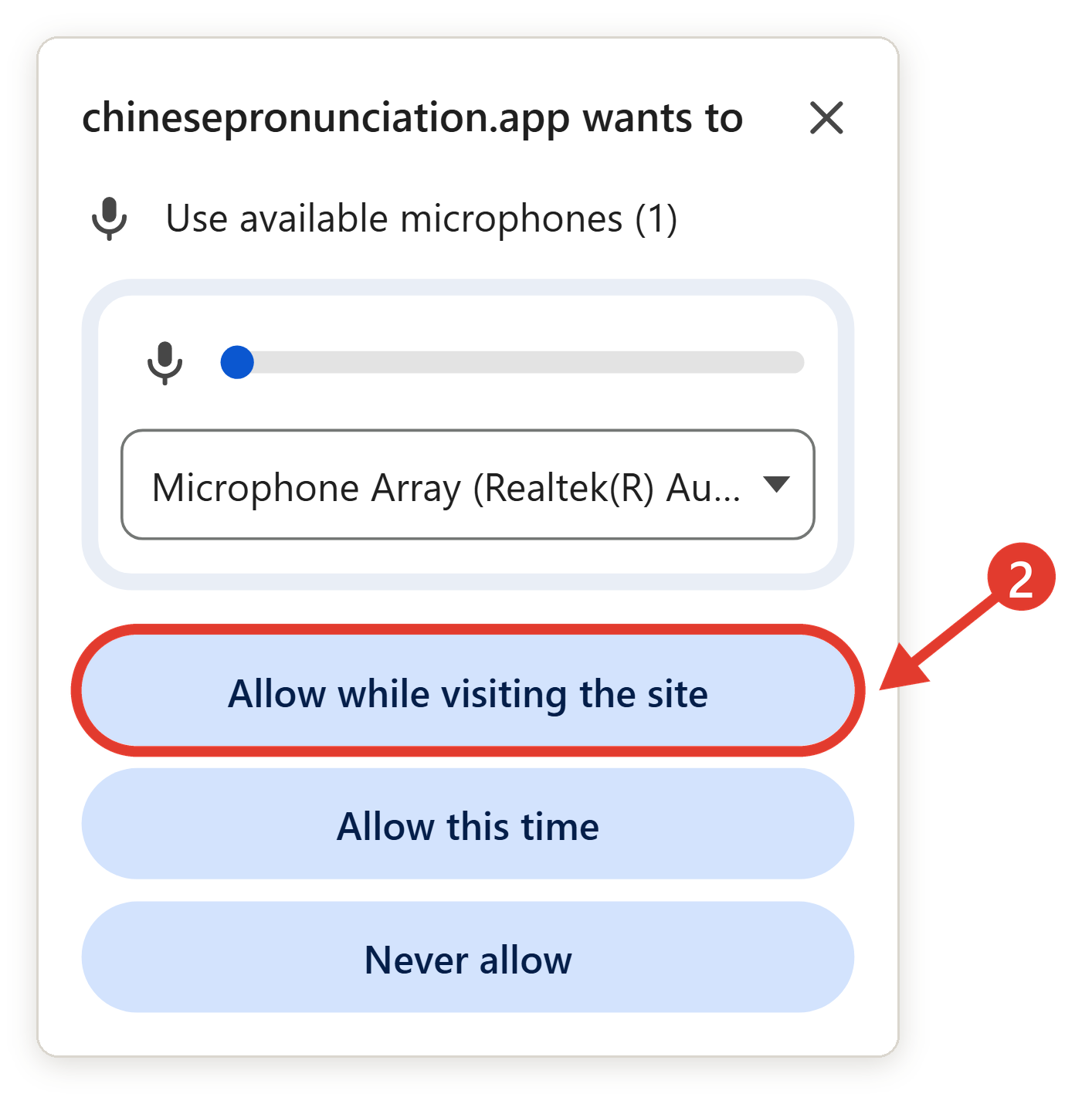
- When your browser asks, let it use your microphone. It only asks once.
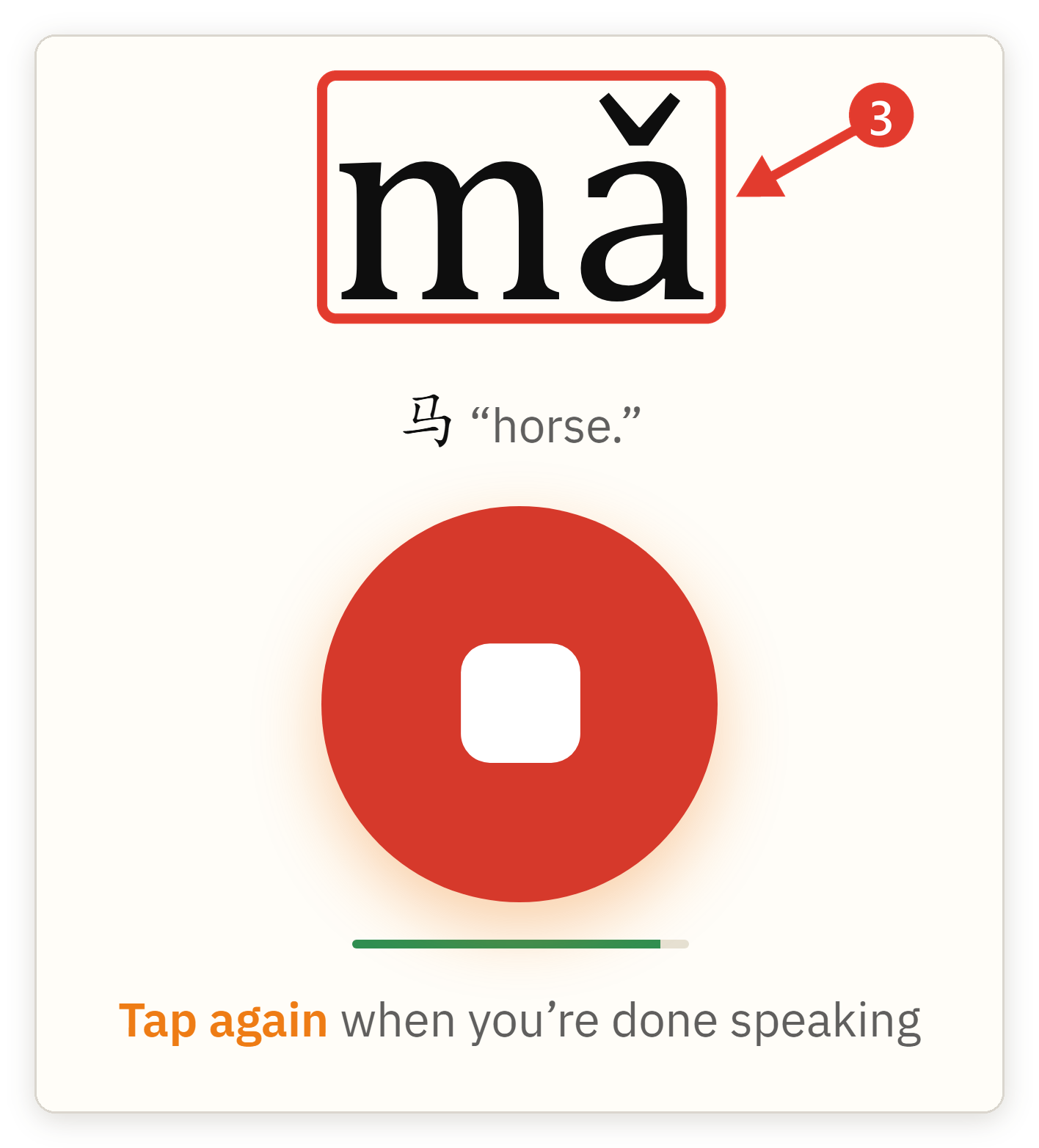
- Say the syllable you see on the screen. Don’t worry, every one of them comes with pinyin, and there’s no need to sound perfect.
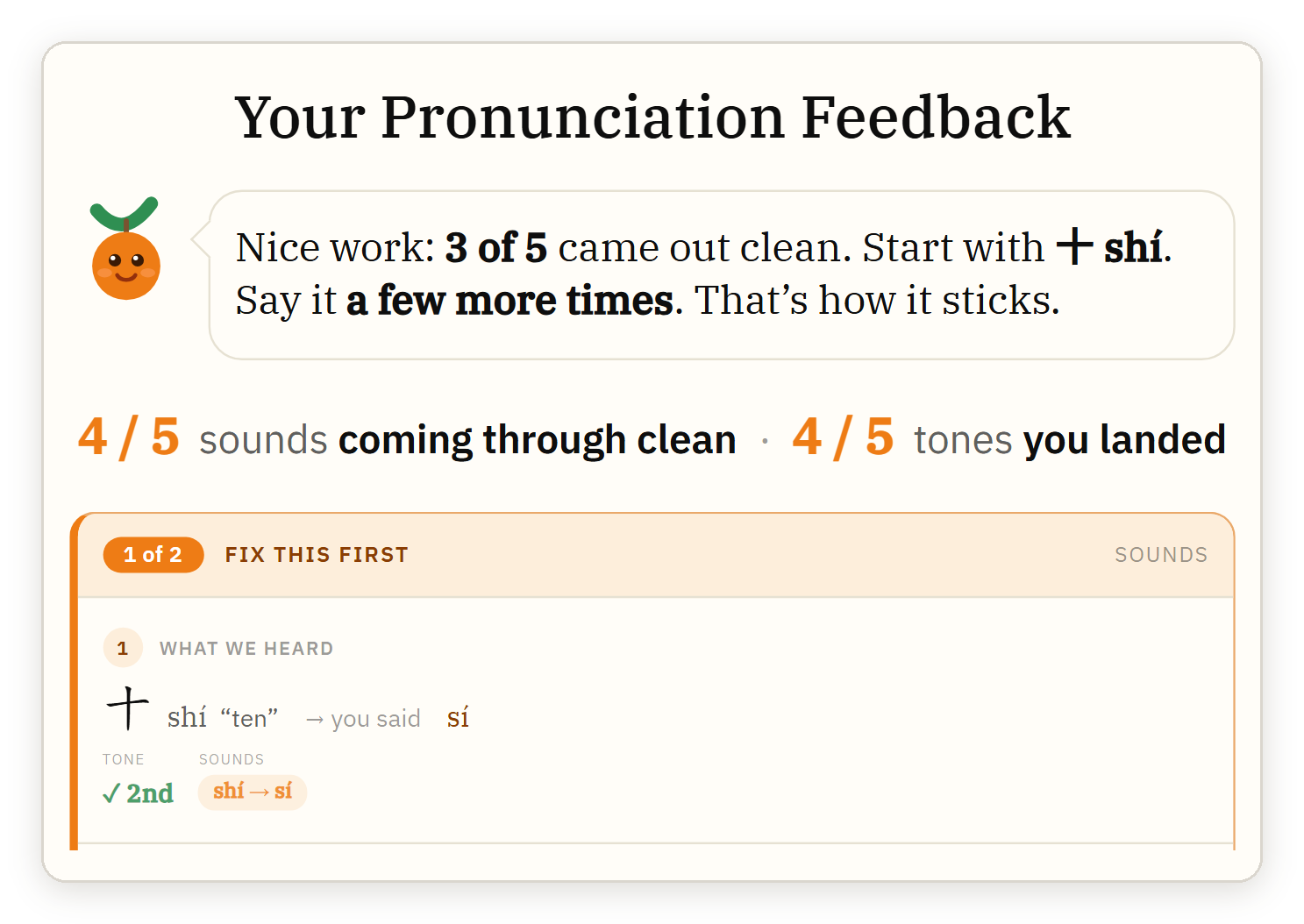
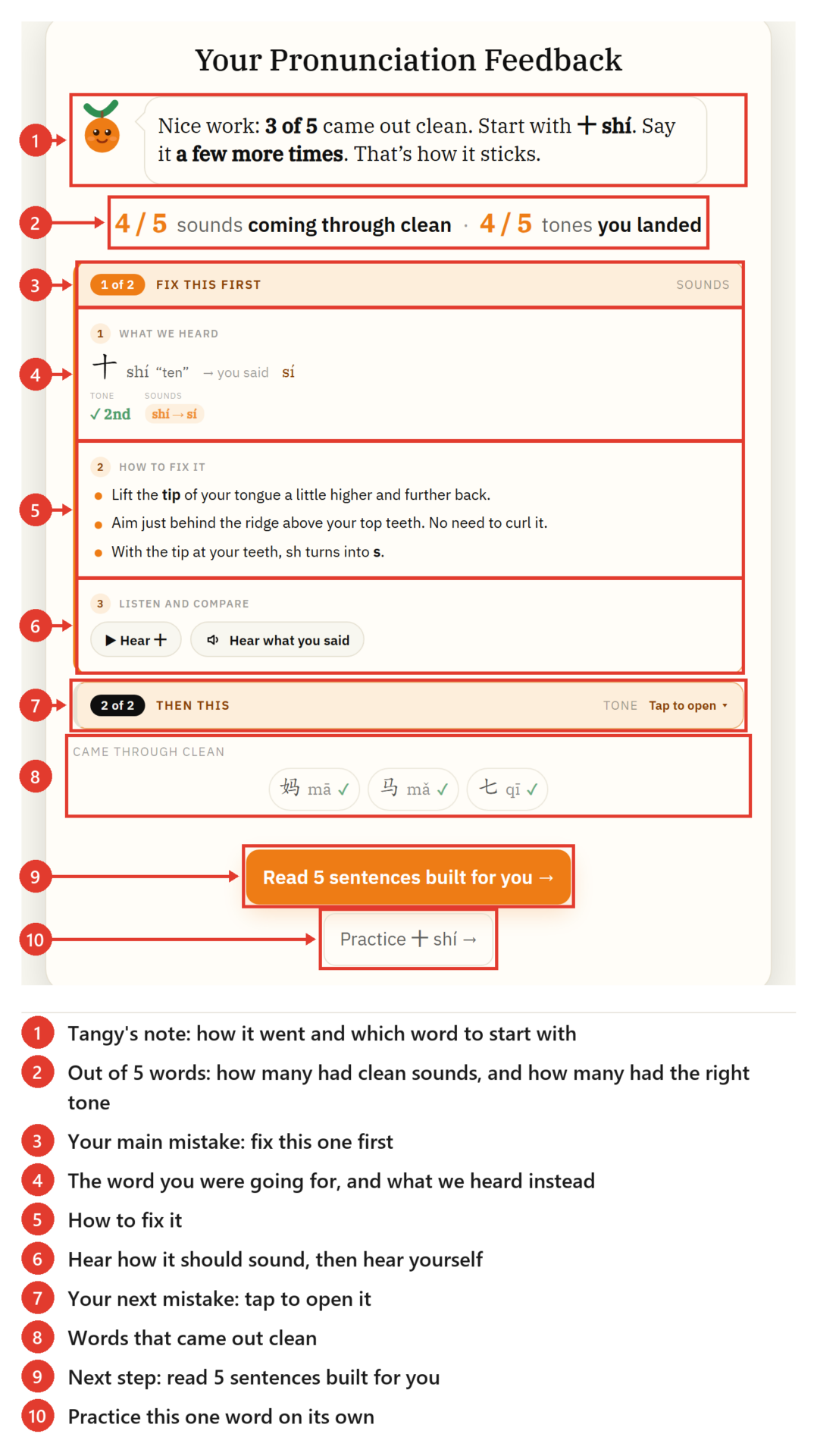
- After the fifth word you’ll get your result right away. The result includes an overall sound score and honest feedback on your sounds and tones. It’s free, no sign-up and no personal information needed.
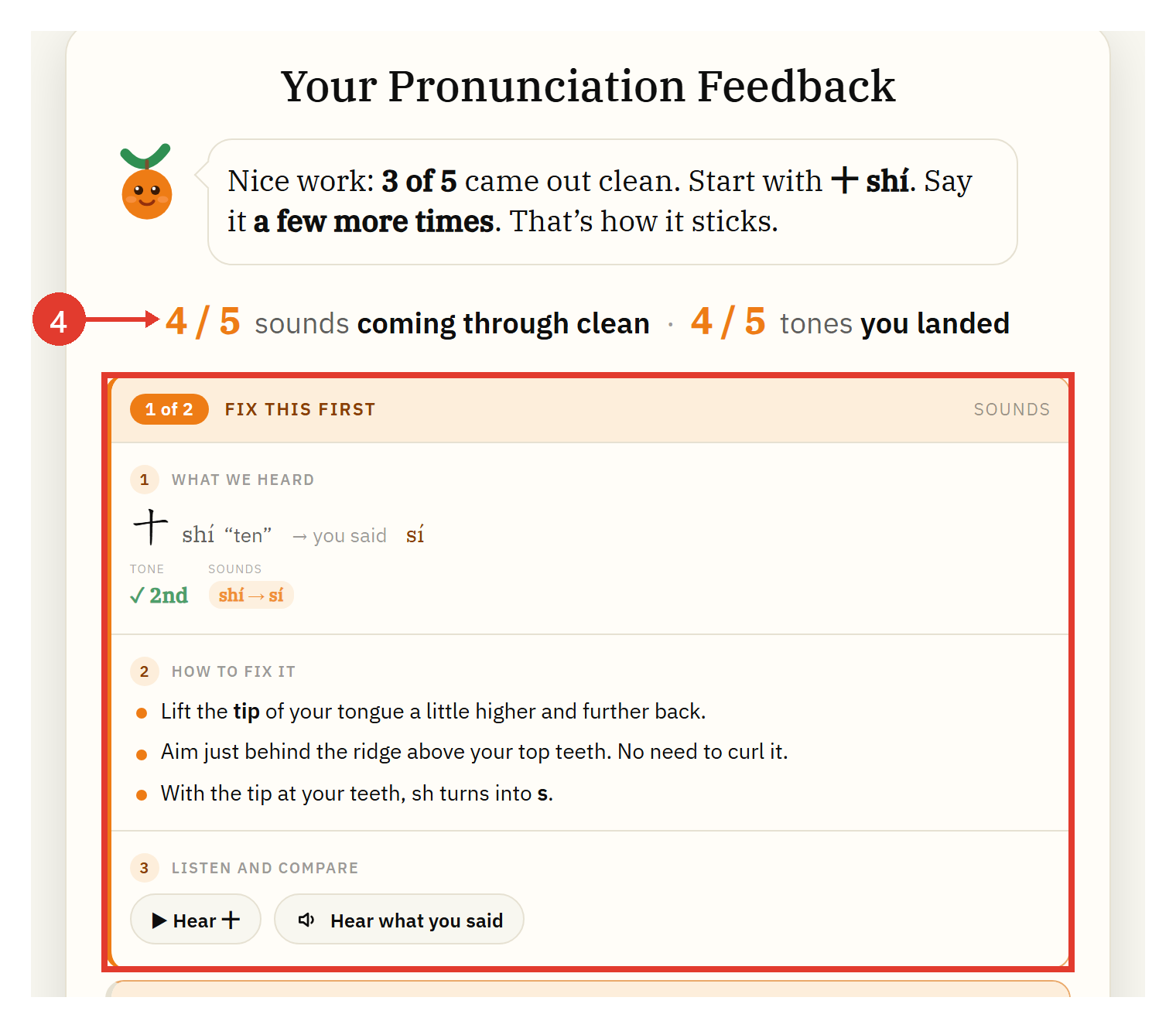
- Here is a detailed breakdown of the feedback screen. I know it looks a bit complicated, but everything is where it should be, so take a moment to get the general logic first.
Why my method works
I lived in China for 5 years, have taught Chinese since 2015, and went from having Chinese people laugh at my pronunciation to working at Chinese companies and speaking fluently with my Chinese colleagues.
My goal is to combine my own experience with AI so that everything here still has a human touch. I personally check every feature and test it on myself and my students first, before publishing it here.
I have neither a musical education nor a musical ear, but I managed to get pretty good at Chinese tones (if I don’t praise myself, no one will).
The key feature is that SayMandarin gives you tips and shows exactly how to fix your tones and pronunciation problems.
Pick what to work on next
Is this for you?
- For people who have just started learning Chinese and want to build a solid pronunciation base from the start so they don’t have to spend time fixing it later
- For self-learners using apps that never tell you what you’re actually getting wrong
- For heritage speakers who grew up hearing Chinese at home but never felt confident speaking it
- For people who have been learning Chinese for a long time, know lots of words, understand almost everything, but often aren’t understood by native speakers
- For college students learning Chinese
- For people preparing for the HSK exam
- For travelers to China who want to handle everyday situations with confidence during their trip
- For business professionals who want to impress their Chinese partners with a few well-pronounced phrases at the negotiation table or over dinner
Frequently Asked Questions
- How many times a day can I check my pronunciation?
30 times a day. Each time you tap the microphone, it counts as one check. A session of five words counts as five checks. The counter resets at midnight UTC. The “four tones ma” tone trainer is unlimited. You can use it even after you’ve used up your 30 checks.
- Do I need a separate microphone to use SayMandarin?
No, your computer or phone’s built-in microphone is enough.
- Does it work on my phone?
Yes, right in your browser. Open the site on your phone, tap the mic, and you’re set. There’s no app to install.